SIGN UP FOR OUR
 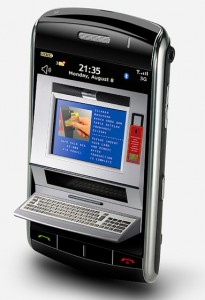 In a previous article published by The Costa Rica Star we discussed the rise of mobile SMS style banking in Costa Rica, in the article here within, we will get deeper into the details.
There was a time, when all bank transactions required going to the nearest bank branch. In the mid-1970s, ATMs opened the doors to electronic banking. No longer restricted to banker’s hours, we had access to our accounts 24 hours a day, seven days a week. We just needed to find the nearest ATM, and still do for cash withdrawals. With the advent of Internet banking, we were able to do much of our bank business via a Web browser. Every bank in Costa Rica offers Internet banking services, but traditional Internet banking does not necessarily work with mobile devices.
Mobile devices have much smaller screens than desktops, laptops, or even netbooks. Most Web pages are impossible to read on these small screens. On my tablet, I have to zoom the page to a size that I can read, and then move back-and-forth to find the login fields. The next trick is entering the account name and password, without the zoomed area disappearing. Standard Web pages are just too frustrating on mobile devices. Banks are responding to the needs of mobile banking in different ways.
A common feature of every cell phone is the ability to send and receive SMS (text) messages. Kolbi, Scotiabank, Banco Promerica, and Bankcredito joined forces to create Kolbi Banca Movil. This Kolbi service provides encrypted messaging for all bank transactions via the Kolbi Banca Movil application. BAC San Jose also offers BAC Movil as an SMS messaging service. Banco de Costa Rica has an SMS messaging service called Banca Movil, not be confused with the Kolbi Banca Movil. These SMS services allow you to check your account balance, make payments, transfer money, and some allow you to recharge your prepago phone card. Of course, there is a charge for sending the text message, and the banks usually charges for sending a reply (check your bank’s fees). While SMS text message banking lacks a fancy graphical interface, it works even when there is a minimal cell phone signal. More importantly, it works on every mobile phone.
While Banco Nacional de Costa Rica has an Android app, it performs no banking functions. The app merely services as a means to connect to their blog, and social networking accounts. The app asks for permissions to access phone and GPS information, but does not use this information. Unless you like reading their blog, this is a useless app. Banco Popular and Scotiabank do have true Android banking apps. BAC San Jose has a banking app for iPhones and iPads, but not Android. The Android apps will not work on Wi-Fi tablets, as they require access to phone, SMS, and GPS.
Between SMS and smartphone apps, there is another alternative. When you connect to an Internet banking site, the header record provides information as to the browser used, and the screen dimensions. The Web site can use this information to provide a Web page that is formatted for the device. I tested the Web sites for fourteen banks in Costa Rica using Opera Mobile on my Android tablet. Of the fourteen sites, only BAC San Jose detected that I was using a mobile device, and changed to a mobile screen. Yet, formatting a Web site for mobile access covers far more mobile devices than does writing an app. For smaller Wi-Fi tablets, a mobile web site is the only convenient alternative.
Since we are dealing with banking information, your mobile device should be running a firewall, an anti-virus app, and all banking data should be encrypted. Beyond these protections, watch the permissions on that apps that you load. There are apps, especially games, that contain malware.
A little prevention and planning can save a lot of headaches.